
 0
0
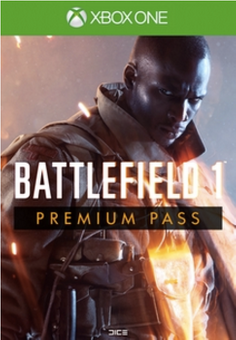
THIS DLC INCLUDES
This content requires the base game.
- Four upcoming themed, digital expansion packs starting with Battlefield 1 They Shall Not Pass in March 2017. The expansion packs will include:
- Two weeks early access to each expansion pack.
- Play as new armies including France in Battlefield 1 They Shall Not Pass, and the Russian Empire in an upcoming expansion pack.
- 16 new multiplayer maps.
- New Operations and game modes for more ways to play.
- New Elite classes.
- 20 new weapons.
- New vehicles.
- 14 Battlefield 1 Battlepacks containing stand-out weapon skins, delivered monthly starting November 2016.
- 14 unique dog tags distributed over the course of the Battlefield 1 Premium Pass period
ABOUT THE GAME
Battle in a wide variety of locations like war-torn French cities, great open spaces in the Italian Alps, or vast Arabian deserts.
Fight from land, air, and sea as you rain fire from the sky in a gargantuan Airship, tear through the world in the Armored Train, or bombard the land from the sea in the Dreadnought.
Experience massive multiplayer battles with up to 64 players. Charge in on foot as infantry, lead a cavalry assault, or drive a tank into battle.
Battle to claim anobjective in the signature Conquest mode, or get up close with the infantry-focused Domination mode. Now featuring all-new Operations mode, where two teams must battle across multiple maps.
What are the system requirements?
- OSXbox One / Xbox X|S
- Optimised for Xbox Series X|S?No
- SubscriptionOnline multiplayer on Xbox requires Xbox Live Gold (subscription sold separately).
- OtherInternet Access
Platform
Xbox One (WW)-
HOW TO REDEEM XBOX ONE GAME CODE

Xbox One Console:
- Sign in to your Xbox One (make sure you’re signed in with the Microsoft account you want to redeem the code with)
- Press the Xbox button on the controller to open the guide, and then select Store.

- Press the View button on the controller to open the side menu, and then select Redeem.

- Enter your unique code that’s displayed on the ‘Orders’ page of CDKeys.com and select Next, and then follow the prompts.

Web Browser:
- On your PC or phone’s browser, navigate to https://redeem.microsoft.com
- Sign in with your Microsoft account credentials (make sure you’re signed in with the Microsoft account you want to redeem the code with).
- Enter your unique code that’s displayed on the ‘Orders’ page of CDKeys.com and select Next, and then follow the prompts.
Microsoft Store on Windows:
- On your PC, press the Start button , and then enter the store into the search bar.
- Choose Microsoft Store from the results to open the app and sign in with your Microsoft account credentials (make sure you’re signed in with the Microsoft account you want to redeem the code with).
- Select your account in the top-right corner of the screen, and then select Redeem code or gift cards.

- Enter your unique code that’s displayed on the ‘Orders’ page of CDKeys.com and select Next, and then follow the prompts.

Xbox App for Windows (ONLY PC):
- On your PC, press the Start button , and then enter Xbox into the search bar.
- Choose the Xbox app from the results to open the app and sign in with your Microsoft account credentials (make sure you’re signed in with the Microsoft account you want to redeem the code with)
- Select your gamerpic, and then select Settings.

- Select Redeem under Redeem a code.

- Enter your unique code that’s displayed on the ‘Orders’ page of CDKeys.com and select Next and then follow the prompts.




