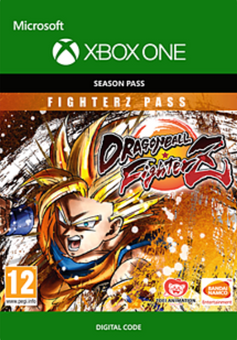
Dragon Ball: FighterZ - FighterZ Pass Xbox One
Platform
Xbox One
Release Date
26 Jan 2018
Language
English,Spanish,French,German,Italian,Portuguese,Polish,Chinese Traditional,Japanese,Korean,Russian
Developer
Arc System Works
Top benefit: Delivery Time 1-3 secondFully automated trading
QUANTITY
- +
Add Cart
Surprise activity: Use the coupon "ffttl" to get a 5%-35% discount,Before Discount Price : USD 361.49$
-29%
USD 505.94$
USD 361.49$
FAQ
Load More
  • NOTE: This content requires the base game Dragon Ball FighterZ in order to play.

    Get instant download of Dragon Ball FighterZ - FighterZ Pass on Xbox One with ffttl.com

    The top 3 reasons to play Dragon Ball FighterZ - FighterZ Pass

    1. Dragon Ball FighterZ is ready to entertain with spectacular fights from the well-loved Dragon Ball franchise.
    2. The FighterZ Pass includes new fighting styles, mechanics and team combinations.
    3. Dragon Ball FighterZ is packed with high-end graphics and brings spectacular fighting gameplay.

    What to know before buying Dragon Ball FighterZ - FighterZ Pass

    What's included with Dragon Ball FighterZ - FighterZ Pass?

    Eight new characters for Dragon Ball FighterZ on Xbox One.

    New fighters also come with their respective stamp, set of alternative colors and even Lobby Avatars.
    Is there any region lock for Dragon Ball FighterZ - FighterZ Pass?

    This product is available worldwide; no region lock.

    How will I receive my instant download for Dragon Ball FighterZ - FighterZ Pass?

    After payment has been approved, your game key will be included in your order confirmation email. You can access your key by following a link in the email. Next, you can activate your key on its corresponding platform.

    If you’ve pre-ordered a game, your key will be delivered to your email a day before the official (or early access) release date. You will also receive a notification via email when your key becomes available.

    How to activate the key for Dragon Ball FighterZ - FighterZ Pass

    Xbox One Console:

    • Load the “Home” screen (make sure you’re signed in), and navigate right to “Store”.
    • In “Categories”, select “Games”.
    • Choose the “Use a code” option.
    • Select the option to “enter the 25 character code”, and enter the code you received in your ffttl.com confirmation email.

    Web Browser:

    • Load a web browser and go to this address: https://live.xbox.com/redeemtoken
    • Sign in with your Microsoft account credentials.
    • Enter the game code from your email and click “Next”; follow the prompts to confirm.

    You can find additional support for your Xbox Live account here: https://support.xbox.com/en-US/contact-us

    Dragon Ball FighterZ - FighterZ Pass details

    • Build your dream Dragon Ball team and sharpen your skills.
    • Play in ranked matches, interactive lobby, or 6-player Party Match.
    • Witness an exclusive scenario featuring Android 21, a brand new character.
    • Master powerful combos, play on deadly stages and witness famous scenes from the Dragon Ball anime.

    Want to get a free key to buy Dragon Ball FighterZ - FighterZ Pass?

    Our team regularly select the best comments about the game. Make sure to share your feedback in the review tab!


    What are the system requirements for Dragon Ball FighterZ - FighterZ Pass?

    MINIMUM for Dragon Ball FighterZ - FighterZ Pass

    • Dragon Ball FighterZ
    • Xbox Live account
    • Broadband internet connection

    Genre

    Action, Anime, Fighting
  • HOW TO REDEEM XBOX ONE GAME CODE

    Xbox One Console:

    1. Sign in to your Xbox One (make sure you’re signed in with the Microsoft account you want to redeem the code with)
    2. Press the Xbox button on the controller to open the guide, and then select Store.


    3. Press the View button on the controller to open the side menu, and then select Redeem.


    4. Enter your unique code that’s displayed on the ‘Orders’ page of CDKeys.com and select Next, and then follow the prompts.


    Web Browser:

    1. On your PC or phone’s browser, navigate to https://redeem.microsoft.com
    2. Sign in with your Microsoft account credentials (make sure you’re signed in with the Microsoft account you want to redeem the code with).
    3. Enter your unique code that’s displayed on the ‘Orders’ page of CDKeys.com and select Next, and then follow the prompts.

    Microsoft Store on Windows:

    1. On your PC, press the Start button , and then enter the store into the search bar.
    2. Choose Microsoft Store from the results to open the app and sign in with your Microsoft account credentials (make sure you’re signed in with the Microsoft account you want to redeem the code with).
    3. Select your account in the top-right corner of the screen, and then select Redeem code or gift cards.


    4. Enter your unique code that’s displayed on the ‘Orders’ page of CDKeys.com and select Next, and then follow the prompts.


    Xbox App for Windows (ONLY PC):

    1. On your PC, press the Start button , and then enter Xbox into the search bar.
    2. Choose the Xbox app from the results to open the app and sign in with your Microsoft account credentials (make sure you’re signed in with the Microsoft account you want to redeem the code with)
    3. Select your gamerpic, and then select Settings.


    4. Select Redeem under Redeem a code.


    5. Enter your unique code that’s displayed on the ‘Orders’ page of CDKeys.com and select Next and then follow the prompts.


FFTTL is your trusted platform to buy cheap game CD keys and digital codes. Enjoy instant delivery, huge discounts, and a wide range of popular games. Shop now and save!
paypal visa mastercard
$505.94
$361.49
Buy Now