
 0
0
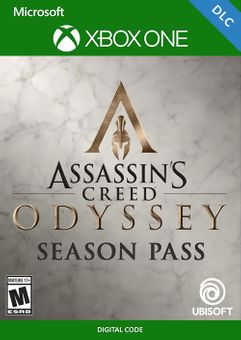
Base Game Required. Available Here!
Get your instant download with ffttl.com
- LEGACY OF THE FIRST BLADE: Fight alongside the legend who first wielded the Hidden Blade to change the course of history.
- THE FATE OF ATLANTIS: Confront godly creatures and uncover the secrets of the legendary sunken city.
- The Games: Assassin's Creed III REMASTERED and Assassin's Creed Liberation REMASTERED
- The bonus mission The Secrets of Greece available at Day 1
The top 3 reasons to play Assassin's Creed Odyssey - Season Pass Xbox One (UK)
- Fulfill your destiny in Assassin’s Creed Odyssey as one of two playable characters: Kassandra or Alexios.
- Create your own story in Assassin's Creed Odyssey through the various choices you can make.
- Journey to ancient Greece! Experience a game world that's more detailed than any other Assassin’s Creed title.
About Assassin's Creed Odyssey - Season Pass Xbox One (UK)
- Fight alongside the legend who first wielded the Hidden Blade, and change the course of history, while learning why the Assassins chose to fight from the shadows.
- Be the hero you were born to be in Assassin's Creed Odyssey! Work your way up from a mercenary to a legendary warrior.
- Demonstrate your warrior's abilities in large scale epic battles between Athens and Sparta featuring hundreds of soldiers, or ram and cleave your way through entire fleets in naval battles across the Aegean Sea.
What are the system requirements?
- Xbox Live account
- Internet connection for activation and online features
Genre
Action, Action RPGPlatform
Xbox One (UK)-
HOW TO REDEEM XBOX ONE GAME CODE

Xbox One Console:
- Sign in to your Xbox One (make sure you’re signed in with the Microsoft account you want to redeem the code with)
- Press the Xbox button on the controller to open the guide, and then select Store.

- Press the View button on the controller to open the side menu, and then select Redeem.

- Enter your unique code that’s displayed on the ‘Orders’ page of CDKeys.com and select Next, and then follow the prompts.

Web Browser:
- On your PC or phone’s browser, navigate to https://redeem.microsoft.com
- Sign in with your Microsoft account credentials (make sure you’re signed in with the Microsoft account you want to redeem the code with).
- Enter your unique code that’s displayed on the ‘Orders’ page of CDKeys.com and select Next, and then follow the prompts.
Microsoft Store on Windows:
- On your PC, press the Start button , and then enter the store into the search bar.
- Choose Microsoft Store from the results to open the app and sign in with your Microsoft account credentials (make sure you’re signed in with the Microsoft account you want to redeem the code with).
- Select your account in the top-right corner of the screen, and then select Redeem code or gift cards.

- Enter your unique code that’s displayed on the ‘Orders’ page of CDKeys.com and select Next, and then follow the prompts.

Xbox App for Windows (ONLY PC):
- On your PC, press the Start button , and then enter Xbox into the search bar.
- Choose the Xbox app from the results to open the app and sign in with your Microsoft account credentials (make sure you’re signed in with the Microsoft account you want to redeem the code with)
- Select your gamerpic, and then select Settings.

- Select Redeem under Redeem a code.

- Enter your unique code that’s displayed on the ‘Orders’ page of CDKeys.com and select Next and then follow the prompts.




