
 0
0
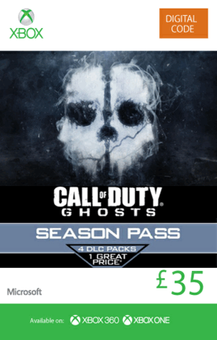
- The Call of Duty: Ghosts Season Pass is your access to four epic Map Packs in 2014 at one great price. Plus, when you purchase the Season Pass, receive the bonus Team Leader Digital Pack unlocked in-game at game launch. The Team Leader Digital Pack includes: MP Character Head Weapon Camo Reticle Player Patch Player Card Player Background Please note: Once available, download content from the in-game store, not from Xbox Live Marketplace, to avoid extra charges. The Call of Duty: Ghosts Season Pass requires the Xbox 360 or Xbox One Call of Duty: Ghosts game.
-
HOW TO REDEEM XBOX 360 GAME CODE

Xbox 360 Console:
- Sign in to your Xbox 360 (make sure you’re signed in with the Microsoft account you want to redeem the code with)
- Press the Guide button on your controller
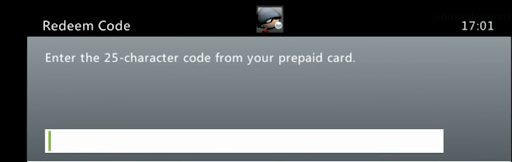
- Select Games & Apps, and then select Redeem Code.
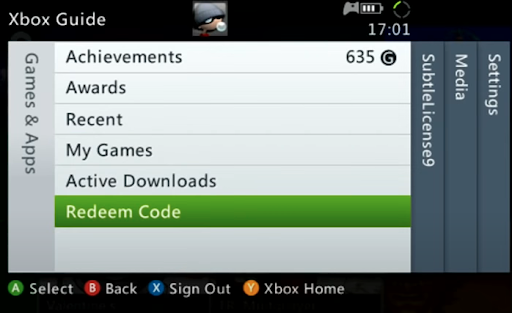
- Enter your unique code that’s displayed on the ‘Orders’ page of CDKeys.com and then follow the prompts.
Web Browser:
- On your PC or phone’s browser, navigate to https://redeem.microsoft.com
- Sign in with your Microsoft account credentials (make sure you’re signed in with the Microsoft account you want to redeem the code with).
- Enter your unique code that’s displayed on the ‘Orders’ page of CDKeys.com and select Next, and then follow the prompts.
Microsoft Store on Windows:
- On your PC, press the Start button , and then enter the store into the search bar.
- Choose Microsoft Store from the results to open the app and sign in with your Microsoft account credentials (make sure you’re signed in with the Microsoft account you want to redeem the code with).
- Select your account in the top-right corner of the screen, and then select Redeem code or gift cards.

- Enter your unique code that’s displayed on the ‘Orders’ page of CDKeys.com and select Next, and then follow the prompts.

Xbox App for Windows (ONLY PC):
- On your PC, press the Start button , and then enter Xbox into the search bar.
- Choose the Xbox app from the results to open the app and sign in with your Microsoft account credentials (make sure you’re signed in with the Microsoft account you want to redeem the code with)
- Select your gamerpic, and then select Settings.

- Select Redeem under Redeem a code.

- Enter your unique code that’s displayed on the ‘Orders’ page of CDKeys.com and select Next and then follow the prompts.




