
 0
0
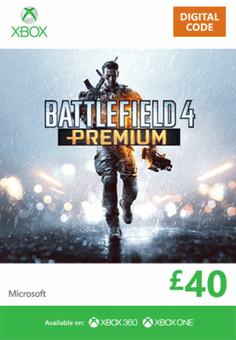
- Please Note: You will need Battlefield 4 full Game for this. Battlefield 4 Premium is a premium add on service for the upcoming add-on packs. Own more, be more with a Battlefield 4 Premium membership. Get the competitive edge with two-week early access to all five expansions, and keep the action going all year long with weekly content and 12 additional Battlepacks. Get into the battle faster with priority position in server queues and participate in Premium events. Dominate in style by personalising your Battlefield 4 experience with exclusive camos, paints, emblems, dog tags and more. You can even transfer your Battlefield 4 Premium membership across platforms to seamlessly usher in the next generation of consoles. From the Xbox 360 to Xbox One, take your Premium membership and all its incredible perks with you as you upgrade.
-
HOW TO REDEEM XBOX 360 GAME CODE

Xbox 360 Console:
- Sign in to your Xbox 360 (make sure you’re signed in with the Microsoft account you want to redeem the code with)
- Press the Guide button on your controller
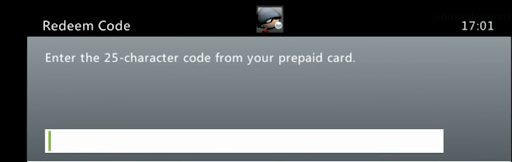
- Select Games & Apps, and then select Redeem Code.
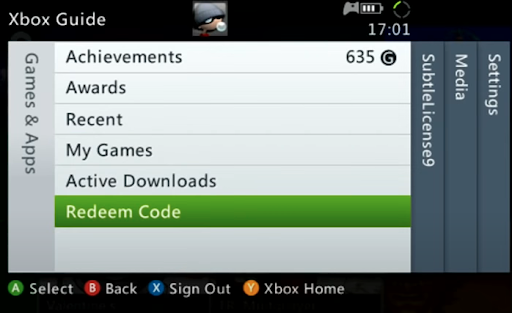
- Enter your unique code that’s displayed on the ‘Orders’ page of CDKeys.com and then follow the prompts.
Web Browser:
- On your PC or phone’s browser, navigate to https://redeem.microsoft.com
- Sign in with your Microsoft account credentials (make sure you’re signed in with the Microsoft account you want to redeem the code with).
- Enter your unique code that’s displayed on the ‘Orders’ page of CDKeys.com and select Next, and then follow the prompts.
Microsoft Store on Windows:
- On your PC, press the Start button , and then enter the store into the search bar.
- Choose Microsoft Store from the results to open the app and sign in with your Microsoft account credentials (make sure you’re signed in with the Microsoft account you want to redeem the code with).
- Select your account in the top-right corner of the screen, and then select Redeem code or gift cards.

- Enter your unique code that’s displayed on the ‘Orders’ page of CDKeys.com and select Next, and then follow the prompts.

Xbox App for Windows (ONLY PC):
- On your PC, press the Start button , and then enter Xbox into the search bar.
- Choose the Xbox app from the results to open the app and sign in with your Microsoft account credentials (make sure you’re signed in with the Microsoft account you want to redeem the code with)
- Select your gamerpic, and then select Settings.

- Select Redeem under Redeem a code.

- Enter your unique code that’s displayed on the ‘Orders’ page of CDKeys.com and select Next and then follow the prompts.




