
 0
0
Get your instant download with ffttl.com
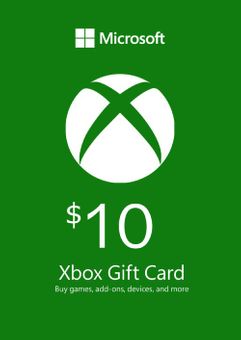
This product includes Microsoft Gift Card - $10.
The top 3 reasons to buy Microsoft Gift Card - $10
- It can be used to buy the hottest new Xbox full game downloads, apps and more.
- Be sure to stock-up on in-game currency using a Microsoft Gift Card and rule the game.
- Buy an Xbox Gift Card and use it to digitally pre-order and pre-download the games you can’t wait to play.
About Microsoft Gift Card - $10
- Buy game discs, or use an Xbox Gift Card to download full games directly to your Xbox One or Xbox 360 at home. The choice is yours. Now you can buy the digital version of a game and use a code to download it from the comfort of your sofa. Plus, when you buy an Xbox One game digitally, you can download and play it on any Xbox One console. With an Xbox Gift Card, you’ve got the flexibility to shop for any game available for download on Xbox One and Xbox 360
- Start playing the moment your highly anticipated game is available when you pre-order and pre-download it on Xbox One. Buy an Xbox Gift Card and use it to digitally pre-order and pre-download the games you can’t wait to play.
- Keep enjoying your favorite games with add-ons like new characters, maps, level packs and more. Get add-ons bundled together with Season passes, or just buy gear for your avatar, or new workouts and songs for your games with an Xbox Gift Card.
What are the system requirements?
- Broadband internet connection
- Xbox Live account
Genre
OnlinePlatform
GIft Card - USD-
HOW TO REDEEM GIFT CARDS AND SUBSCRIPTIONS

Xbox One Console / Xbox Series X|S Console:
- Sign in to your Xbox One / Xbox Series X|S (make sure you’re signed in with the Microsoft account you want to redeem the code with)
- Press the Xbox button on the controller to open the guide, and then select Store.

- Press the View button on the controller to open the side menu, and then select Redeem.

- Enter your unique code that’s displayed on the ‘Orders’ page of CDKeys.com and select Next, and then follow the prompts.

Xbox 360 Console:
- Sign in to your Xbox 360 (make sure you’re signed in with the Microsoft account you want to redeem the code with)
- Press the Guide button on your controller
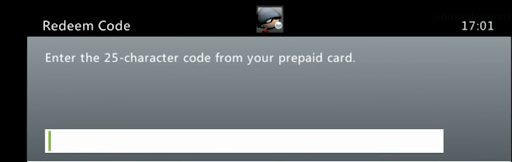
- Select Games & Apps, and then select Redeem Code.
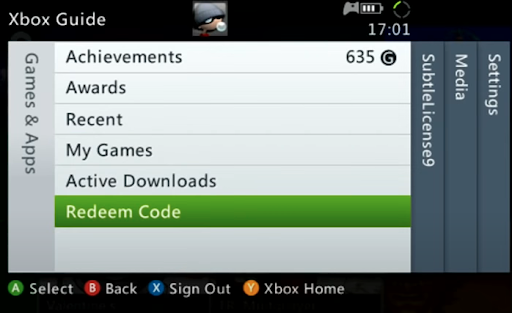
- Enter your unique code that’s displayed on the ‘Orders’ page of CDKeys.com and then follow the prompts.
Web Browser:
- On your PC or phone’s browser, navigate to https://redeem.microsoft.com
- Sign in with your Microsoft account credentials (make sure you’re signed in with the Microsoft account you want to redeem the code with).
- Enter your unique code that’s displayed on the ‘Orders’ page of CDKeys.com and select Next, and then follow the prompts.
Microsoft Store on Windows:
- On your PC, press the Start button , and then enter the store into the search bar.
- Choose Microsoft Store from the results to open the app and sign in with your Microsoft account credentials (make sure you’re signed in with the Microsoft account you want to redeem the code with).
- Select your account in the top-right corner of the screen, and then select Redeem code or gift cards.

- Enter your unique code that’s displayed on the ‘Orders’ page of CDKeys.com and select Next, and then follow the prompts.

Xbox App for Windows (ONLY PC):
- On your PC, press the Start button , and then enter Xbox into the search bar.
- Choose the Xbox app from the results to open the app and sign in with your Microsoft account credentials (make sure you’re signed in with the Microsoft account you want to redeem the code with)
- Select your gamerpic, and then select Settings.

- Select Redeem under Redeem a code.

- Enter your unique code that’s displayed on the ‘Orders’ page of CDKeys.com and select Next and then follow the prompts.




