
 0
0
Get your instant download with ffttl.com
This product includes 3 Month Xbox Game Pass - PC.
The top 3 reasons to play 3 Month Xbox Game Pass - PC
- See what your friends are playing and chat with them while you play.
- Play over 100 high-quality PC games on Windows 10
- Xbox Game Pass members get a discount on games in the Xbox Game Pass library, plus DLC and add-ons.
About 3 Month Xbox Game Pass - PC
- Xbox Game Pass is like Netflix for games! New games are added every month, including brand new titles the day they release.
- Play over 100 high-quality PC games on Windows 10, plus enjoy all the benefits of EA Play, coming soon at no extra cost.
What are the system requirements?
MINIMUM
- OSWindows 10 (v. 1903 or higher required for many games)
- ProcessorIntel Core i5; AMD Ryzen 5. Quad-core or higher.
- Memory8GB RAM, 3GB VRAM
- GraphicsNVIDIA GTX 1050; AMD Radeon RX 560
- Storage150GB
Genre
Great SoundtrackPlatform
PC (EU)-
Web Browser
- Load a web browser and go to this address: https://redeem.microsoft.com/enter
- Sign in with your Microsoft account credentials.
- Enter your unique code that's displayed on the 'Orders' page of CDKeys.com and follow the prompts to activate. You can find additional support for your Xbox Live account here: https://support.xbox.com/en-US/contact-us
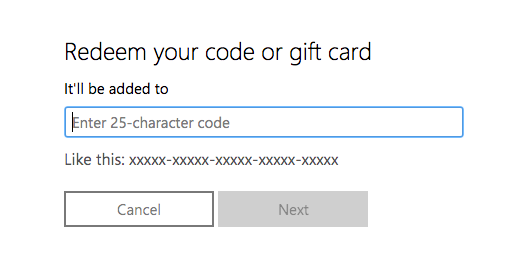
Xbox App
- Download the Xbox App onto your Windows PC.
- Login to the microsoft account where you would like to redeem your code.
- Select your game icon on the top-right corner and then click settings.
- Select “Redeem Code”
- Enter your unique code that's displayed on the 'Orders' page of CDKeys.com and follow the prompts to activate.
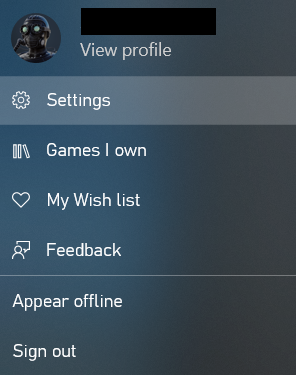
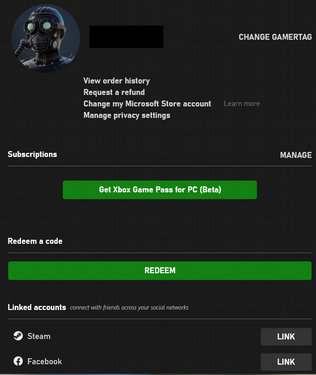
Microsoft Store
- Open up the Microsoft Store App on your Windows PC
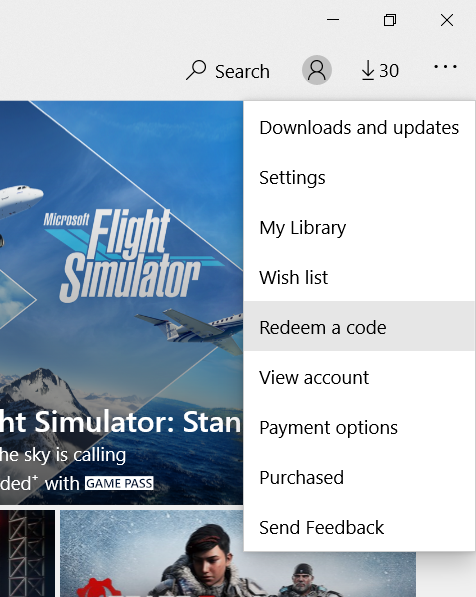
- Click the 3 dots on the top-right corner of the application
- Select “Redeem Code”
- Enter your unique code that's displayed on the 'Orders' page of CDKeys.com and follow the prompts to activate.
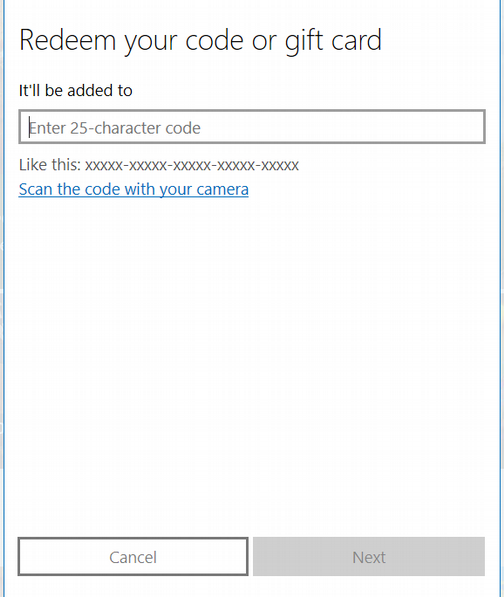
5.Follow the instructions to activate your code



