
 0
0






Get your instant download with ffttl.com
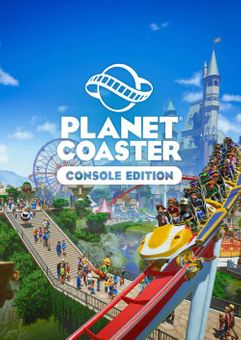
This product includes Planet Coaster
The top 3 reasons to play Planet Coaster
- Pick up and play: Hundreds of pre-built Blueprints allow players of all skill levels to quickly create thriving parks. Jump in and make what you want, when you want.
- Unleash your creativity: Sculpt landscapes, customise scenery, and flex your creative muscles with piece-by-piece construction. Craft your perfect coaster park with ease.
- Inspire and be inspired: Visit the Frontier Workshop and download an unending source of incredible creations, or share your own designs with the world.
About Planet Coaster
- Surprise and delight crowds as you build the coaster park of your dreams and manage a truly living world with unparalleled attention to detail.
- Whatever your skill level, bring your ideas to life. Take advantage of Blueprints to quickly place over 700 pre-made objects, including coasters, facilities and scenery; build from the ground up with detailed piece-by-piece construction; or transform the ground itself with terrain-altering tools.
- Running your park is just as easy. Guests react in realtime as you set prices, place scenery, and install exciting new attractions. Keep them entertained so attendance figures – and profits – skyrocket.
- Looking for inspiration? Discover the Frontier Workshop and harness the world’s best designs in your expanding empire. Download coasters, scenery, buildings, and entire parks, or grow a following by uploading your own creations. From stunning firework displays to sprawling cruise ships, there’s no limit to the creativity.
- Your park, your way:Take on a deep, rewarding career mode, tackle challenging scenarios, or construct your dream coaster park with endless creative possibilities in sandbox mode.
What are the system requirements?
- OSXbox One / Xbox X
- SubscriptionOnline multiplayer on Xbox requires Xbox Live Gold (subscription sold separately).
- OtherInternet Access
Genre
Atmospheric, Casual, City Builder, Sandbox, SimulationPlatform
Xbox (UK)-
HOW TO REDEEM XBOX ONE AND XBOX SERIES X|S GAME CODE

Xbox One Console / Xbox Series X|S Console:
- Sign in to your Xbox One / Xbox Series X|S (make sure you’re signed in with the Microsoft account you want to redeem the code with)
- Press the Xbox button on the controller to open the guide, and then select Store.

- Press the View button on the controller to open the side menu, and then select Redeem.

- Enter your unique code that’s displayed on the ‘Orders’ page of CDKeys.com and select Next, and then follow the prompts.

Web Browser:
- On your PC or phone’s browser, navigate to https://redeem.microsoft.com
- Sign in with your Microsoft account credentials (make sure you’re signed in with the Microsoft account you want to redeem the code with).
- Enter your unique code that’s displayed on the ‘Orders’ page of CDKeys.com and select Next, and then follow the prompts.
Microsoft Store on Windows:
- On your PC, press the Start button , and then enter the store into the search bar.
- Choose Microsoft Store from the results to open the app and sign in with your Microsoft account credentials (make sure you’re signed in with the Microsoft account you want to redeem the code with).
- Select your account in the top-right corner of the screen, and then select Redeem code or gift cards.

- Enter your unique code that’s displayed on the ‘Orders’ page of CDKeys.com and select Next, and then follow the prompts.

Xbox App for Windows (ONLY PC):
- On your PC, press the Start button , and then enter Xbox into the search bar.
- Choose the Xbox app from the results to open the app and sign in with your Microsoft account credentials (make sure you’re signed in with the Microsoft account you want to redeem the code with)
- Select your gamerpic, and then select Settings.

- Select Redeem under Redeem a code.

- Enter your unique code that’s displayed on the ‘Orders’ page of CDKeys.com and select Next and then follow the prompts.




