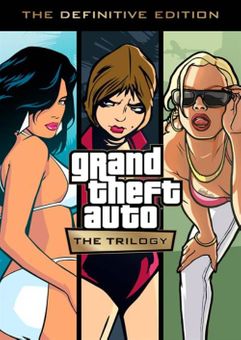
Grand Theft Auto: The Trilogy – The Definitive Edition Xbox One & Xbox Series X|S (UK)
Platform
Xbox One & Xbox Series X/S
Release Date
11 Nov 2021
Language
English
Developer
Rockstar Studios
Top benefit: Delivery Time 1-3 secondFully automated trading
QUANTITY
- +
Add Cart
Surprise activity: Use the coupon "ffttl" to get a 5%-35% discount,Before Discount Price : USD 260.29$
-27%
USD 358.38$
USD 260.29$
FAQ
Load More
  • Get your instant download with ffttl.com

    Grand Theft Auto: The Trilogy – The Definitive Edition Xbox One & Xbox Series X|S (UK) includes:

    • Grand Theft Auto III
    • Grand Theft Auto: San Andreas
    • Grand Theft Auto: Vice City

    The top 3 reasons to play Grand Theft Auto: The Trilogy – The Definitive Edition Xbox One & Xbox Series X|S (UK)

    1. Grand Theft Auto is full of memorable characters. Some will help you, some will try to kill you, and they all have issues.
    2. The missions feature varied objectives which allow the player to experience every facet of gameplay in a structured environment.
    3. Experience the award-winning Grand Theft Auto franchise and its take on modern, gangster culture.

    About Grand Theft Auto: The Trilogy – The Definitive Edition Xbox One & Xbox Series X|S (UK)

    • Grand Theft Auto III brings to life the underworld of Liberty City.
    • Explore the open-world of Liberty City and discover numerous characters.
    • Experience excellent voice acting, a compelling soundtrack and a dark plot in Grand Theft Auto III.
    • Play as Carl Johnson in Grand Theft Auto: San Andreas as he explores San Andreas to save his family and conquer the criminal underworld.
    • In Grand Theft Auto: Vice City, discover the bright delights of Vice City and its immersive open-world gameplay.
    • Play as Tommy Vercetti in Grand Theft Auto: Vice City as he fights criminal goons and attempts to rule the city for himself.
    Read more

    What are the system requirements?

    • OSXbox Series X
    • SubscriptionOnline multiplayer on Xbox requires Xbox Live Gold (subscription sold separately).
    • OtherInternet Access

    Genre

    Action, Adventure, Crime, FPS, Multiplayer, Open World, Shooter, Singleplayer, Story Rich

    Platform

    Xbox Series X|S (UK)
  • HOW TO REDEEM XBOX ONE AND XBOX SERIES X|S GAME CODE

    Xbox One Console / Xbox Series X|S Console:

    1. Sign in to your Xbox One / Xbox Series X|S (make sure you’re signed in with the Microsoft account you want to redeem the code with)
    2. Press the Xbox button on the controller to open the guide, and then select Store.


    3. Press the View button on the controller to open the side menu, and then select Redeem.


    4. Enter your unique code that’s displayed on the ‘Orders’ page of CDKeys.com and select Next, and then follow the prompts.


    Web Browser:

    1. On your PC or phone’s browser, navigate to https://redeem.microsoft.com
    2. Sign in with your Microsoft account credentials (make sure you’re signed in with the Microsoft account you want to redeem the code with).
    3. Enter your unique code that’s displayed on the ‘Orders’ page of CDKeys.com and select Next, and then follow the prompts.

    Microsoft Store on Windows:

    1. On your PC, press the Start button , and then enter the store into the search bar.
    2. Choose Microsoft Store from the results to open the app and sign in with your Microsoft account credentials (make sure you’re signed in with the Microsoft account you want to redeem the code with).
    3. Select your account in the top-right corner of the screen, and then select Redeem code or gift cards.


    4. Enter your unique code that’s displayed on the ‘Orders’ page of CDKeys.com and select Next, and then follow the prompts.


    Xbox App for Windows (ONLY PC):

    1. On your PC, press the Start button , and then enter Xbox into the search bar.
    2. Choose the Xbox app from the results to open the app and sign in with your Microsoft account credentials (make sure you’re signed in with the Microsoft account you want to redeem the code with)
    3. Select your gamerpic, and then select Settings.


    4. Select Redeem under Redeem a code.


    5. Enter your unique code that’s displayed on the ‘Orders’ page of CDKeys.com and select Next and then follow the prompts.


FFTTL is your trusted platform to buy cheap game CD keys and digital codes. Enjoy instant delivery, huge discounts, and a wide range of popular games. Shop now and save!
paypal visa mastercard
$358.38
$260.29
Buy Now