
 0
0
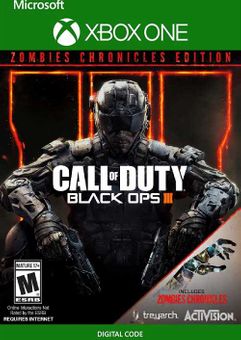






Get your instant download with ffttl.com
- Call of Duty: Black Ops III Base game
- Zombies Chronicles content expansion.
The top 3 reasons to play Call of Duty: Black Ops III - Zombies Chronicles Edition Xbox One (UK)
- Call of Duty: Black Ops III combines three unique game modes: Campaign, Multiplayer, and Zombies, providing fans with the deepest and most ambitious Call of Duty ever.
- The Zombies Chronicles content expansion delivers 8 remastered classic Zombies maps from Call of Duty: World at War, Call of Duty: Black Ops and Call of Duty: Black Ops II. Complete maps from the original saga are fully remastered and HD playable within Call of Duty: Black Ops III.
- The title ushers in an unprecedented level of innovation, including jaw-dropping environments, never before experienced weaponry and abilities, and the introduction of a new, improved fluid movement system.
About Call of Duty: Black Ops III - Zombies Chronicles Edition Xbox One (UK)
- Call of Duty: Black Ops III combines three unique game modes: Campaign, Multiplayer and Zombies, providing fans with the deepest and most ambitious Call of Duty ever. The Campaign has been designed as a co-op game that can be played with up to 4 players online or as a solo cinematic thrill-ride. Multiplayer will be the franchise’s deepest, most rewarding and most engaging to date, with new ways to rank up, customize, and gear up for battle. And Zombies delivers an all-new mind-blowing experience with its own dedicated narrative. The title ushers in an unprecedented level of innovation, including jaw-dropping environments, never before experienced weaponry and abilities, and the introduction of a new, improved fluid movement system.
What are the system requirements?
- Xbox Live Account
- Internet Access
Genre
Action, Adventure, ShooterPlatform
Xbox (UK)-
HOW TO REDEEM XBOX ONE AND XBOX SERIES X|S GAME CODE

Xbox One Console / Xbox Series X|S Console:
- Sign in to your Xbox One / Xbox Series X|S (make sure you’re signed in with the Microsoft account you want to redeem the code with)
- Press the Xbox button on the controller to open the guide, and then select Store.

- Press the View button on the controller to open the side menu, and then select Redeem.

- Enter your unique code that’s displayed on the ‘Orders’ page of CDKeys.com and select Next, and then follow the prompts.

Web Browser:
- On your PC or phone’s browser, navigate to https://redeem.microsoft.com
- Sign in with your Microsoft account credentials (make sure you’re signed in with the Microsoft account you want to redeem the code with).
- Enter your unique code that’s displayed on the ‘Orders’ page of CDKeys.com and select Next, and then follow the prompts.
Microsoft Store on Windows:
- On your PC, press the Start button , and then enter the store into the search bar.
- Choose Microsoft Store from the results to open the app and sign in with your Microsoft account credentials (make sure you’re signed in with the Microsoft account you want to redeem the code with).
- Select your account in the top-right corner of the screen, and then select Redeem code or gift cards.

- Enter your unique code that’s displayed on the ‘Orders’ page of CDKeys.com and select Next, and then follow the prompts.

Xbox App for Windows (ONLY PC):
- On your PC, press the Start button , and then enter Xbox into the search bar.
- Choose the Xbox app from the results to open the app and sign in with your Microsoft account credentials (make sure you’re signed in with the Microsoft account you want to redeem the code with)
- Select your gamerpic, and then select Settings.

- Select Redeem under Redeem a code.

- Enter your unique code that’s displayed on the ‘Orders’ page of CDKeys.com and select Next and then follow the prompts.




