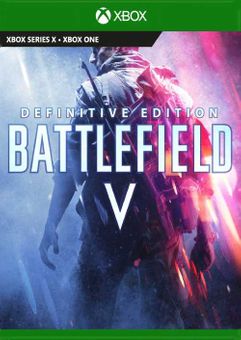






Battlefield V Definitive Edition Xbox (UK)
Platform
Xbox One
Release Date
22 Oct 2020
Language
English,Spanish,French,German,Italian
Developer
DICE
Top benefit: Delivery Time 1-3 secondFully automated trading
QUANTITY
- +
Add Cart
Surprise activity: Use the coupon "ffttl" to get a 5%-35% discount,Before Discount Price : USD 123.99$
-28%
USD 172.19$
USD 123.99$
FAQ
Load More
  • Get your instant download with ffttl.com

    Battlefield V Definitive Edition Xbox (UK) includes:

    • All gameplay content (weapons, vehicles, and gadgets) from launch, Year 1, and Year 2
    • All Elites
    • 84 immersive outfit variations for the British and German armies to enhance the WW2 sandbox
    • 8 soldier outfits from Year 2
    • 2 weapon skins from Year 2, applicable to 10 and 4 weapons respectively
    • 3 vehicle dressings
    • 33 Chapter Reward items from Year 1.

    The top 3 reasons to play Battlefield V Definitive Edition Xbox (UK)

    1. With the Deluxe Edition, you'll get early access to Battlefield 5 along with exclusive gear, missions, and weekly Airlifts!
    2. Battlefield 5 returns to the series' World War II roots, with an all-new portrayal of this historic conflict.
    3. This Battlefield is the most intense, ambitious, and immersive yet. Make sure you come prepared.

    About Battlefield V Definitive Edition Xbox (UK)

    • With the Deluxe Edition, you'll Play the game before the rest of the world, giving you a headstart on your Battlefield 5 experience.
    • Five sets of unique paratrooper outfits are included with the Deluxe Edition, along with 20 weekly airlifts containing exclusive supplies and Special Assignments that bring you the closer to the action.
    • In Battlefield V's single-player mode you'll deploy in different sandbox-style map locations with a variety of vehicles and weapons at your disposal. Each mission, you'll play through a different War Story and see the battlefield through the eyes of a specific soldier.
    • Multiplayer mode features 8 different modes and 8 different ultra-detailed maps in BF5.
    • Become a soldier in some of World War II's most important battles with Grand Operations.
    • Experience “The Company” in Battlefield 5: a custom collection of weapons, vehicles, and soldiers that you’ll personally assemble and manage. More than ever, your “squad” will be crucial to your success.
    • In Battlefield 5, the war continues well after the game's launch. New experiences, new gameplay, new maps and more will be continually released after the game's out.
    Read more

    What are the system requirements?

    • OSXbox One / Xbox Series X|S
    • SubscriptionOnline multiplayer on Xbox requires Xbox Live Gold (subscription sold separately).
    • OtherInternet Access

    Genre

    Action, Atmospheric, FPS, Multiplayer, Open World, Shooter, Singleplayer, Violent, Historical, War

    Platform

    Xbox (UK)
  • HOW TO REDEEM XBOX ONE GAME CODE

    Xbox One Console:

    1. Sign in to your Xbox One (make sure you’re signed in with the Microsoft account you want to redeem the code with)
    2. Press the Xbox button on the controller to open the guide, and then select Store.


    3. Press the View button on the controller to open the side menu, and then select Redeem.


    4. Enter your unique code that’s displayed on the ‘Orders’ page of CDKeys.com and select Next, and then follow the prompts.


    Web Browser:

    1. On your PC or phone’s browser, navigate to https://redeem.microsoft.com
    2. Sign in with your Microsoft account credentials (make sure you’re signed in with the Microsoft account you want to redeem the code with).
    3. Enter your unique code that’s displayed on the ‘Orders’ page of CDKeys.com and select Next, and then follow the prompts.

    Microsoft Store on Windows:

    1. On your PC, press the Start button , and then enter the store into the search bar.
    2. Choose Microsoft Store from the results to open the app and sign in with your Microsoft account credentials (make sure you’re signed in with the Microsoft account you want to redeem the code with).
    3. Select your account in the top-right corner of the screen, and then select Redeem code or gift cards.


    4. Enter your unique code that’s displayed on the ‘Orders’ page of CDKeys.com and select Next, and then follow the prompts.


    Xbox App for Windows (ONLY PC):

    1. On your PC, press the Start button , and then enter Xbox into the search bar.
    2. Choose the Xbox app from the results to open the app and sign in with your Microsoft account credentials (make sure you’re signed in with the Microsoft account you want to redeem the code with)
    3. Select your gamerpic, and then select Settings.


    4. Select Redeem under Redeem a code.


    5. Enter your unique code that’s displayed on the ‘Orders’ page of CDKeys.com and select Next and then follow the prompts.


FFTTL is your trusted platform to buy cheap game CD keys and digital codes. Enjoy instant delivery, huge discounts, and a wide range of popular games. Shop now and save!
paypal visa mastercard
$172.19
$123.99
Buy Now