
 0
0
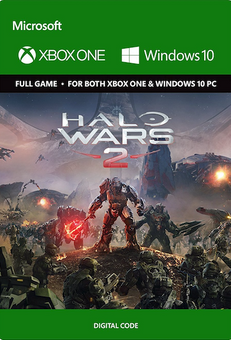






ABOUT THE GAME
It’s the Halo experience you’ve dreamed of – controlling entire armies of Marines, Warthogs, Scorpion tanks, and Spartans on the battlefield from the Commander’s point of view. Halo Wars 2 is a real-time strategy game playable in native 4K Ultra HD graphics with HDR on the Xbox One X and Windows 10. Halo Wars 2 also supports Xbox Play Anywhere: Buy once, play on both Xbox and Windows 10. Build Your Halo Army – Construct your bases, prepare your vehicles and amass your troops. Lead them into huge battles across campaign skirmish matches against the AI, and with and against friends in up to 3v3 matches on Xbox Live. Learn new strategies as you play as different leaders across Blitz and Multiplayer game modes.
What are the system requirements?
- OSXbox One / Xbox X|S
- Optimised for Xbox Series X|S?No
- SubscriptionOnline multiplayer on Xbox requires Xbox Live Gold (subscription sold separately).
- OtherInternet Access
Platform
PC (WW)-
HOW TO REDEEM XBOX PLAY ANYWHERE GAME CODE

Xbox One Console / Xbox Series X|S Console:
- Sign in to your Xbox One / Xbox Series X|S (make sure you’re signed in with the Microsoft account you want to redeem the code with)
- Press the Xbox button on the controller to open the guide, and then select Store.

- Press the View button on the controller to open the side menu, and then select Redeem.

- Enter your unique code that’s displayed on the ‘Orders’ page of CDKeys.com and select Next, and then follow the prompts.

Xbox 360 Console:
- Sign in to your Xbox 360 (make sure you’re signed in with the Microsoft account you want to redeem the code with)
- Press the Guide button on your controller
- Select Games & Apps, and then select Redeem Code.
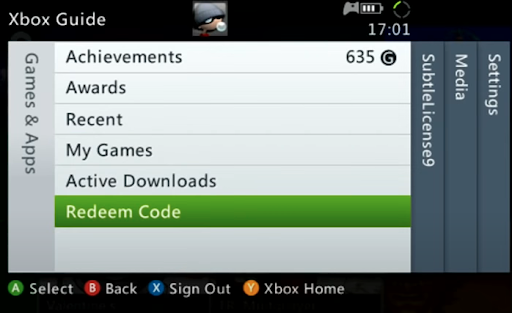
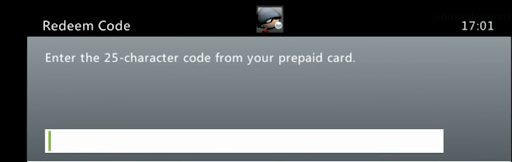
- Enter your unique code that’s displayed on the ‘Orders’ page of CDKeys.com and then follow the prompts.
Web Browser:
- On your PC or phone’s browser, navigate to https://redeem.microsoft.com
- Sign in with your Microsoft account credentials (make sure you’re signed in with the Microsoft account you want to redeem the code with).
- Enter your unique code that’s displayed on the ‘Orders’ page of CDKeys.com and select Next, and then follow the prompts.
Microsoft Store on Windows:
- On your PC, press the Start button , and then enter the store into the search bar.
- Choose Microsoft Store from the results to open the app and sign in with your Microsoft account credentials (make sure you’re signed in with the Microsoft account you want to redeem the code with).
- Select your account in the top-right corner of the screen, and then select Redeem code or gift cards.

- Enter your unique code that’s displayed on the ‘Orders’ page of CDKeys.com and select Next, and then follow the prompts.

Xbox App for Windows (ONLY PC):
- On your PC, press the Start button , and then enter Xbox into the search bar.
- Choose the Xbox app from the results to open the app and sign in with your Microsoft account credentials (make sure you’re signed in with the Microsoft account you want to redeem the code with)
- Select your gamerpic, and then select Settings.

- Select Redeem under Redeem a code.

- Enter your unique code that’s displayed on the ‘Orders’ page of CDKeys.com and select Next and then follow the prompts.




