
 0
0
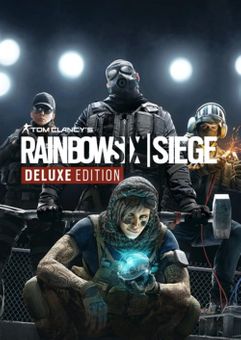






THIS EDITION INCLUDES
- The full game (all maps and modes)
- All 16 operators from Years 1 and Year 2
ABOUT THE GAME
Tom Clancy's Rainbow Six Siege is an elite, realistic, tactical team-based shooter where superior planning and execution triumphs. Featuring 5v5 attack vs. defense gameplay, and intense close-quarters combat in destructible environments. Choose from over 70 operators, each with unique gadgets and customizable weapon loadouts. Outthink your opponents by breaching walls, floors, and windows, or lie in wait with deadly traps. Tom Clancy's Rainbow Six Siege is constantly expanding: each season brings new content, in-game events, and more. This game leverages Smart Delivery allowing access to both the Xbox One title and the Xbox Series X|S title.
What are the system requirements?
- OSXbox One / Xbox X|S
- Optimised for Xbox Series X|S?No
- SubscriptionOnline multiplayer on Xbox requires Xbox Live Gold (subscription sold separately).
- OtherInternet Access
Genre
ShooterPlatform
Xbox (EU)-
HOW TO REDEEM XBOX ONE GAME CODE

Xbox One Console:
- Sign in to your Xbox One (make sure you’re signed in with the Microsoft account you want to redeem the code with)
- Press the Xbox button on the controller to open the guide, and then select Store.

- Press the View button on the controller to open the side menu, and then select Redeem.

- Enter your unique code that’s displayed on the ‘Orders’ page of CDKeys.com and select Next, and then follow the prompts.

Web Browser:
- On your PC or phone’s browser, navigate to https://redeem.microsoft.com
- Sign in with your Microsoft account credentials (make sure you’re signed in with the Microsoft account you want to redeem the code with).
- Enter your unique code that’s displayed on the ‘Orders’ page of CDKeys.com and select Next, and then follow the prompts.
Microsoft Store on Windows:
- On your PC, press the Start button , and then enter the store into the search bar.
- Choose Microsoft Store from the results to open the app and sign in with your Microsoft account credentials (make sure you’re signed in with the Microsoft account you want to redeem the code with).
- Select your account in the top-right corner of the screen, and then select Redeem code or gift cards.

- Enter your unique code that’s displayed on the ‘Orders’ page of CDKeys.com and select Next, and then follow the prompts.

Xbox App for Windows (ONLY PC):
- On your PC, press the Start button , and then enter Xbox into the search bar.
- Choose the Xbox app from the results to open the app and sign in with your Microsoft account credentials (make sure you’re signed in with the Microsoft account you want to redeem the code with)
- Select your gamerpic, and then select Settings.

- Select Redeem under Redeem a code.

- Enter your unique code that’s displayed on the ‘Orders’ page of CDKeys.com and select Next and then follow the prompts.




