
 0
0
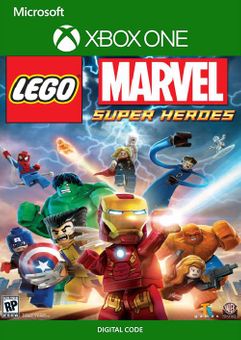






Get your instant download with ffttl.com
This product includes LEGO Marvel Super Heroes Xbox One (UK).
The top 3 reasons to play LEGO Marvel Super Heroes Xbox One (UK)
- LEGO Marvel Super Heroes features an original story crossing the entire MARVEL Universe.
- Players take control of Iron Man, Spider-Man, the Hulk, Captain America, Wolverine and many more MARVEL characters as they unite to stop Loki and a host of other MARVEL villains from assembling a super-weapon capable of destroying the world.
- Help save Earth as your favorite Marvel character with your super-cool strengths and abilities.
About LEGO Marvel Super Heroes Xbox One (UK)
- LEGO Marvel Super Heroes features an original story crossing the entire Marvel Universe. Players take control of Iron Man, Spider-Man, the Hulk, Captain America, Wolverine and many more Marvel characters as they unite to stop Loki and a host of other Marvel villains from assembling a super-weapon capable of destroying the world. Players will chase down Cosmic Bricks as they travel across LEGO Manhattan and visit key locations from the Marvel Universe, such as Stark Tower, Asteroid M, a Hydra base and the X-Mansion.
- Smash, swing and fly in the first LEGO videogame featuring more than 100 of your favorite Super Heroes and Super Villains from the Marvel Universe, including Iron Man, Wolverine, the Hulk, Spider-Man, Captain America, Black Widow, Loki and Deadpool.
- Perform new and powerful moves as “BIG-fig” characters like Hulk and Abomination. Leave a path of destruction as you smash through LEGO walls and throw cars using hyper strength.
- Discover LEGO Manhattan like never before, and travel to iconic locations from the Marvel Universe, such as the X-Mansion, Asteroid M and Asgard.
What are the system requirements?
- Xbox Live Account
- Internet Access
Genre
LEGOPlatform
Xbox One (UK)-
HOW TO REDEEM XBOX ONE GAME CODE

Xbox One Console:
- Sign in to your Xbox One (make sure you’re signed in with the Microsoft account you want to redeem the code with)
- Press the Xbox button on the controller to open the guide, and then select Store.

- Press the View button on the controller to open the side menu, and then select Redeem.

- Enter your unique code that’s displayed on the ‘Orders’ page of CDKeys.com and select Next, and then follow the prompts.

Web Browser:
- On your PC or phone’s browser, navigate to https://redeem.microsoft.com
- Sign in with your Microsoft account credentials (make sure you’re signed in with the Microsoft account you want to redeem the code with).
- Enter your unique code that’s displayed on the ‘Orders’ page of CDKeys.com and select Next, and then follow the prompts.
Microsoft Store on Windows:
- On your PC, press the Start button , and then enter the store into the search bar.
- Choose Microsoft Store from the results to open the app and sign in with your Microsoft account credentials (make sure you’re signed in with the Microsoft account you want to redeem the code with).
- Select your account in the top-right corner of the screen, and then select Redeem code or gift cards.

- Enter your unique code that’s displayed on the ‘Orders’ page of CDKeys.com and select Next, and then follow the prompts.

Xbox App for Windows (ONLY PC):
- On your PC, press the Start button , and then enter Xbox into the search bar.
- Choose the Xbox app from the results to open the app and sign in with your Microsoft account credentials (make sure you’re signed in with the Microsoft account you want to redeem the code with)
- Select your gamerpic, and then select Settings.

- Select Redeem under Redeem a code.

- Enter your unique code that’s displayed on the ‘Orders’ page of CDKeys.com and select Next and then follow the prompts.




