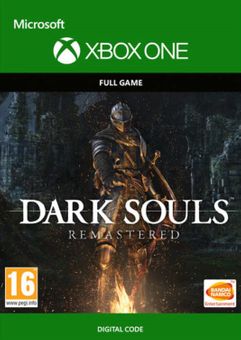
Dark Souls: HD Remaster Xbox One
Platform
Xbox One
Release Date
25 May 2018
Language
English,Spanish,French,German,Italian
Developer
QLOC
Top benefit: Delivery Time 1-3 secondFully automated trading
QUANTITY
- +
Add Cart
Surprise activity: Use the coupon "ffttl" to get a 5%-35% discount,Before Discount Price : USD 170.09$
-34%
USD 256.12$
USD 170.09$
FAQ
Load More
  • Get your instant download of Dark Souls Remastered on Xbox One with ffttl.com

    The top 3 reasons to play Dark Souls Remastered

    1. Prepare to die! Dark Souls is a genre-defining game that's simultaneously challenging and fun.
    2. The remastered version will bring you enhanced lighting, textures, and graphics; along with greatly improved PvP and Co-Op modes that allow up to 6 players to help… or harm each other.
    3. Return to a dark, mysterious, interconnected world in fully remastered HD.

    What to know before buying Dark Souls Remastered

    What's included with Dark Souls Remastered?

    Included is the Dark Souls Remastered base game for Xbox One.
    Is there a region lock for Dark Souls Remastered?

    There is no region lock. This product is available worldwide.

    How will I receive my instant download key for Dark Souls Remastered?

     After payment has been approved, your game key will be included in your order confirmation email. You can access your key by following a link in the email. Next, you can activate your key on its corresponding platform.

    How to activate the key for Dark Souls Remastered

    Xbox One Console:

    1. Load the “Home” screen (make sure you’re signed in to your Xbox Live account), and navigate right to “Store”.
    2. In “Categories”, select “Games”.
    3. Choose the “Use a code” option.
    4. Select the option to “enter the 25 character code”, and enter the code you received in your ffttl.com confirmation email.

    Web Browser

    1. Load a web browser and go to this address: https://live.xbox.com/redeemtoken
    2. Sign in with your Microsoft account credentials.
    3. Enter the game code from your email and click “Next”; follow the prompts to confirm.

    You can find additional support for your Xbox Live account here: https://support.xbox.com/en-US/contact-us

    Dark Souls Remastered details

    • There’s nothing quite like the feeling of finally defeating a boss in Dark Souls after dying countless times. Don't give up!
    • Part of the thrill of Dark Souls Remastered is discovering the story as you interact with the mysterious characters you encounter along your journey.
    • Play as a cursed undead in Dark Souls, who begins his or her journey locked inside a haunting and decrepit asylum. Why you’re there, and what has happened to your humanity is up to you to piece together. 
    • Choose your own path. There's no "right" way to play Dark Souls Remastered; survive in any way you can!

    Want to get a free key to play Dark Souls Remastered or another title?

    Our team regularly selects the best comments about a game and rewards that user with a free key. Share your feedback in the review tab for a chance to win!


    What are the system requirements for Dark Souls Remastered on Xbox One?

    • Xbox Live account
    • Internet connection for online features

    Genre

    Action, Action RPG, Adventure, Atmospheric, Dark Fantasy, Exploration, Great Soundtrack, Mature, Multiplayer, Open World, Singleplayer, Story Rich
  • HOW TO REDEEM XBOX ONE GAME CODE

    Xbox One Console:

    1. Sign in to your Xbox One (make sure you’re signed in with the Microsoft account you want to redeem the code with)
    2. Press the Xbox button on the controller to open the guide, and then select Store.


    3. Press the View button on the controller to open the side menu, and then select Redeem.


    4. Enter your unique code that’s displayed on the ‘Orders’ page of CDKeys.com and select Next, and then follow the prompts.


    Web Browser:

    1. On your PC or phone’s browser, navigate to https://redeem.microsoft.com
    2. Sign in with your Microsoft account credentials (make sure you’re signed in with the Microsoft account you want to redeem the code with).
    3. Enter your unique code that’s displayed on the ‘Orders’ page of CDKeys.com and select Next, and then follow the prompts.

    Microsoft Store on Windows:

    1. On your PC, press the Start button , and then enter the store into the search bar.
    2. Choose Microsoft Store from the results to open the app and sign in with your Microsoft account credentials (make sure you’re signed in with the Microsoft account you want to redeem the code with).
    3. Select your account in the top-right corner of the screen, and then select Redeem code or gift cards.


    4. Enter your unique code that’s displayed on the ‘Orders’ page of CDKeys.com and select Next, and then follow the prompts.


    Xbox App for Windows (ONLY PC):

    1. On your PC, press the Start button , and then enter Xbox into the search bar.
    2. Choose the Xbox app from the results to open the app and sign in with your Microsoft account credentials (make sure you’re signed in with the Microsoft account you want to redeem the code with)
    3. Select your gamerpic, and then select Settings.


    4. Select Redeem under Redeem a code.


    5. Enter your unique code that’s displayed on the ‘Orders’ page of CDKeys.com and select Next and then follow the prompts.


FFTTL is your trusted platform to buy cheap game CD keys and digital codes. Enjoy instant delivery, huge discounts, and a wide range of popular games. Shop now and save!
paypal visa mastercard
$256.12
$170.09
Buy Now













