
 0
0




Get your instant download with ffttl.com
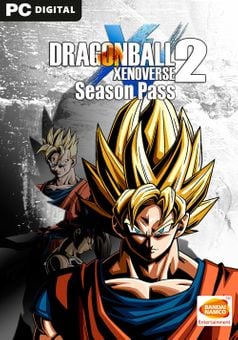
This product includes the Dragon Ball Xenoverse 2 Season Pass. Base game required.
The top 3 reasons to get the Dragon Ball Xenoverse 2 - Season Pass
- Add a massive amount of new content with the Season Pass for Dragon Ball Xenoverse 2!
- Expereince new quests, episodes, stages, and more. Details below!
- This is the ultimate way to experience Dragon Ball Xenoverse 2.
About the Dragon Ball Xenoverse 2 - Season Pass
- The Season Pass includes:
- New playable characters
- Episodes and quests
- Masters and master quests
- New stages
- Skills, costumes and accessories
- DRAGON BALL XENOVERSE 2 builds upon the highly popular DRAGON BALL XENOVERSE with enhanced graphics that will further immerse players into the largest and most detailed Dragon Ball world ever developed.
- DRAGON BALL XENOVERSE 2 will deliver a new hub city and the most character customization choices to date among a multitude of new features and special upgrades.
- Relive the Dragon Ball story by time traveling and protecting historic moments in the Dragon Ball universe
- Brand new hub city more than 7X the size of the original game with 300 players online at the same time
- Next-gen visuals bring the Dragon Ball anime experience to life
- New characters and boss fights
- More in-depth character creation system and battle adjustments
- Post-launch support for one year
What are the system requirements?
MINIMUM
- OSWindows 7 and higher (64 bit only)
- ProcessorAMD Phenom II X2 550, 3.1GHz | Intel Pentium G4400, 3.30GHz
- Memory2 GB RAM
- GraphicsGeForce GT 650 | Radeon HD 6570
- Storage15 GB
RECOMMENDED
- OSWindows 10 (64 bit only)
- ProcessorIntel Core i5-3470, 3.20GHz | AMD FX-6300, 3.5Ghz
- Memory4 GB RAM
- GraphicsGeForce GT 660 | Radeon HD 7770
- Storage15 GB
Platform
PC (WW)-
Activate with Steam:

- Download and install the Steam client on your PC.
- Open the Steam client, login and locate the Games tab on the top menu. Click this and then select “Activate a Product on Steam…”
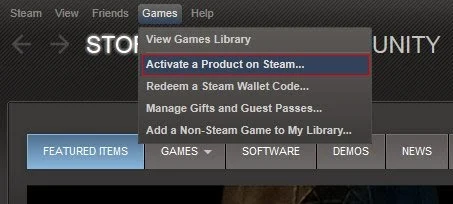
- Enter your unique code that's displayed on the 'Orders' page of CDKeys.com and follow the prompts to activate.
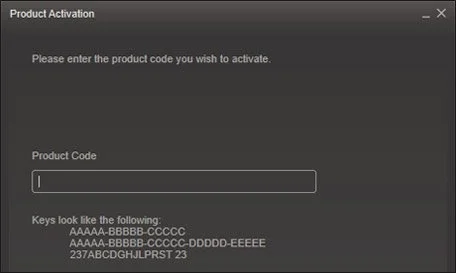
- Your game is now viewable in the “Library” tab and is available to download/install when you’re ready.
You can find additional support for the Steam client here: https://help.steampowered.com/en/wizard/HelpWithSteam



