
 0
0




Get your instant download with ffttl.com
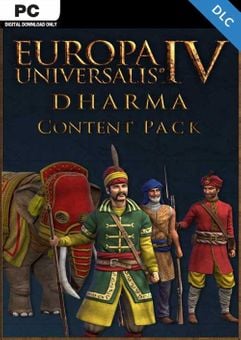
This product includes Europa Universalis IV 4 Dharma Content Pack PC. Base game required.
The top 3 reasons to play Europa Universalis IV 4 Dharma Content Pack PC
- Add more color to your Indian empire with the Europa Universalis IV: Dharma Content Pack.
- New army models for Gondwana, Melwar, Nepal, Orissa and South Indian Minor Nations (Kochin, Malabar, Venad).
- 42 new advisor portraits for Indian nations and cultures.
About Europa Universalis IV 4 Dharma Content Pack PC
- Add more color to your Indian empire with the Europa Universalis IV: Dharma Content Pack. New art and music pull you deeper into the history of this rich and diverse land.
- March your splendid armies and war elephants across the rivers, mountains and jungles of the subcontinent.
- The Dharma content pack includes.
- Hindu Army Units - New army models for Gondwana, Melwar, Nepal, Orissa and South Indian Minor Nations (Kochin, Malabar, Venad)
- Indian Muslim Army Units - New army models for Bahmanis, Gujarat, Jaunpur, Malwa and the Mughal Empire.
- Elephant Cavalry - Unique elephant cavalry models for Gondwana, Orissa and South India. (A generic elephant model is included with the Dharma expansion).
- New Portraits - 42 new advisor portraits for Indian nations and cultures.
- New Music - Over ten minutes of new and original music, inspired by the sounds and music traditions of India.
What are the system requirements?
MINIMUM
- OSWindows 7/Windows 8
- ProcessorIntel® Pentium® IV 2.4 GHz eller AMD 3500+
- Memory2 GB RAM
- GraphicsNVIDIA® GeForce 8800 or ATI Radeon® X1900, 512mb video memory required
- Storage2 GB HD space
RECOMMENDED
- OSWindows 7/Windows 8
- ProcessorIntel® Pentium® IV 2.4 GHz or AMD 3500+
- Memory2 GB RAM
- GraphicsNVIDIA® GeForce 8800 or ATI Radeon® X1900, 1024mb video memory recommended
- Storage2 GB HD space
Genre
Great Soundtrack, Multiplayer, Sandbox, Simulation, Singleplayer, Strategy, Historical, WarPlatform
PC (WW)-
Activate with Steam:

- Download and install the Steam client on your PC.
- Open the Steam client, login and locate the Games tab on the top menu. Click this and then select “Activate a Product on Steam…”
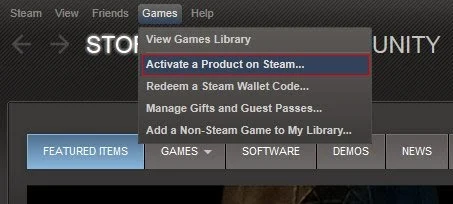
- Enter your unique code that's displayed on the 'Orders' page of CDKeys.com and follow the prompts to activate.
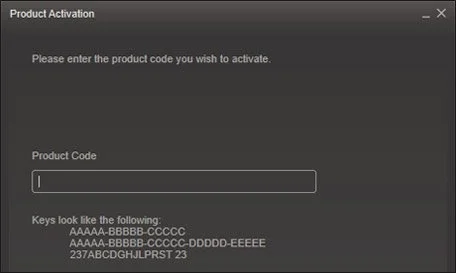
- Your game is now viewable in the “Library” tab and is available to download/install when you’re ready.
You can find additional support for the Steam client here: https://help.steampowered.com/en/wizard/HelpWithSteam



